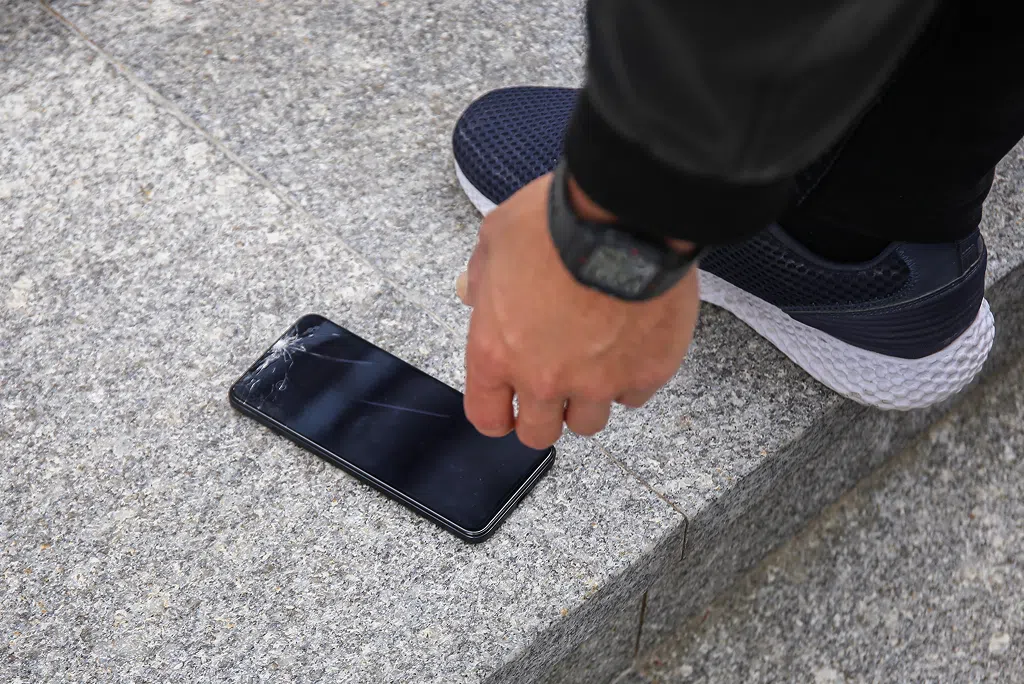
A cracked phone screen is easy to spot. What is harder to tell is whether the damage stops at the glass or goes deeper into the display itself. Many people assume that a broken screen always means the entire display needs to be replaced, but that is not always the case.
Understanding the difference between glass and LCD damage can save you time, frustration, and unnecessary repairs. Whether you are dealing with a cracked screen, LCD damage, touch issues, or a phone that looks fine but behaves strangely, knowing the type of screen damage you have helps determine the right fix.
What Is Glass Damage?
The outermost layer of your phone screen is the protective glass. This layer is designed to shield the display underneath from scratches, drops, and everyday wear. When people talk about a cracked screen, they are usually referring to damage to this outer glass layer.
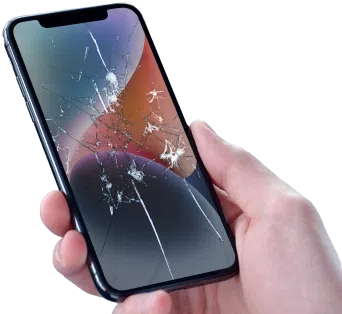
Glass damage typically shows up as visible cracks, chips, or spiderweb patterns across the surface of the screen. In many cases, the phone still works normally despite the cracks. The display lights up properly, colours look normal, and touch input responds as expected.
Because the glass sits on top of the display, damage here is mostly cosmetic at first. You might notice rough edges, small shards, or areas where the glass feels uneven, but the phone remains usable. That said, cracked glass can worsen over time and may allow moisture or debris to reach internal components.
One of the advantages of glass-only damage is that it is often quicker and more straightforward to repair than deeper display issues. When the damage is limited to the outer layer, professional phone screen repair can restore the look and feel of the device without replacing the entire display.
How Mobile Klinik can help: If your phone has visible cracks but still responds normally to touch and displays images clearly, Mobile Klinik technicians can assess whether the damage is limited to the glass. In many cases, identifying glass-only damage early helps prevent further issues and ensures the most appropriate repair is recommended.
Get a free phone diagnosis in 5 minutes when you visit us in-store.Is your phone not working?
What is LCD Damage?
Beneath the glass sits the display panel itself. Depending on the device, this may be an LCD or OLED screen. This layer is responsible for producing the images, colours, brightness, and motion you see on your phone.
LCD screen damage symptoms often go beyond visible cracks. You may notice black spots, ink-like blotches, flickering, or areas of the screen that do not light up at all. Vertical or horizontal lines across the display are another common sign of internal display damage.
Touch problems are also more likely with display damage. The screen may register ghost touches, fail to respond in certain areas, or stop responding entirely. In severe cases, the phone may appear to turn on but show a blank or black screen, even though the device itself is powered.
LCD damage can occur even if the glass looks mostly intact. A drop can transmit force through the glass and damage the display underneath without leaving obvious surface cracks. This is why broken screen vs broken display scenarios are often misunderstood.
Because the display panel is an integrated component, LCD damage usually requires replacing the full display assembly rather than just the glass.
How Mobile Klinik can help: When symptoms point to internal display damage, Mobile Klinik technicians use in-store diagnostics to confirm whether the LCD or OLED panel is affected. This ensures the repair addresses the true cause of the issue instead of focusing only on visible damage.
How to Tell Which One You Have
Not all screen damage is obvious at first glance. A few simple checks can help you narrow down whether you are dealing with cracked glass or LCD damage.
Touch Sensitivity Test
Try tapping and swiping across the entire screen. If touch works smoothly everywhere despite visible cracks, the LCD is likely still intact. If certain areas do not respond or behave unpredictably, internal display components may be damaged.
Display Uniformity Test
Look closely at the screen with a bright background. Dark patches, discoloured areas, or spots that look like liquid beneath the glass often indicate LCD damage. Glass cracks alone do not affect how evenly the screen lights up.
Brightness and Colour Distortion
Turn the brightness up and down and observe how the screen responds. Flickering, washed-out colours, or sudden brightness changes are signs of display panel issues rather than surface damage.
When Cracks are Not the Real Issue
It is possible for a phone to have severe LCD damage without much visible glass damage. Likewise, a heavily cracked screen may still display perfectly. This is why how to tell if LCD is damaged often comes down to behaviour, not appearance.
If your phone behaves strangely but looks fine on the surface, it may be experiencing internal display damage rather than simple glass cracks.
How Mobile Klinik can help: If you are unsure which type of damage you are dealing with, Mobile Klinik offers quick diagnostics to evaluate both touch responsiveness and display performance. This helps determine whether the issue is cosmetic or internal before any repair decisions are made.
How Repairs Differ (Glass vs. LCD)
Once the type of damage is identified, the repair approach becomes much clearer. Glass damage and LCD damage require different tools, parts, and repair processes.
Glass-only Replacement
When the display panel is still functioning properly, some devices can be repaired by replacing only the outer glass layer. At Mobile Klinik, this type of glass-only replacement is available on select iPads and tablets, where the glass and display components are designed to be serviced separately.
For most smartphones, including iPhones and Android devices, the glass and display are fused together. Even if the image and touch appear to work, screen damage on phones is typically resolved using a full screen assembly replacement rather than glass-only repair.
In cases where the rear of the device is damaged, repairs may also involve addressing back glass damage. While separate from the front display, damaged back glass can still compromise the phone’s structure and internal protection if left unaddressed.
Full Display Assembly Replacement
LCD damage requires replacing the entire display assembly, which includes the glass, digitizer, and display panel. This is necessary because the damaged components are fused together and cannot function independently.
This type of repair addresses issues like black screens, flickering, lines, and unresponsive touch areas. It restores full visual and touch functionality but involves more labour and parts.
Cost and Repair Time Differences
Because a full display assembly includes more components, LCD repairs generally take longer and involve higher part costs than glass-only fixes. This is why correctly identifying the damage type is important before committing to a repair.
Why is LCD Damage More Expensive?
LCD and OLED panels are precision components responsible for image quality and responsiveness. Replacing them requires careful handling and calibration, which contributes to the increased cost compared to surface glass repairs.
Understanding the difference between screen replacement and LCD replacement helps to set realistic expectations and avoid surprises during the repair process.
How Mobile Klinik can help: Mobile Klinik technicians explain repair options clearly before any work begins. Whether your phone needs a glass-only repair or a full display replacement, you get transparency around the process so you can make an informed decision.
Save big when you shop our selection of Certified Pre-Owned phones. 64-point inspection and a limited lifetime warranty for eligible customers*.Save up to 50% on a new phone!
When Screen Damage Should Not Be Ignored
Even if your phone still works, ignoring screen damage can lead to bigger problems. Cracked glass can spread, cut fingers, or allow moisture inside the device. LCD damage can worsen over time, leading to total screen failure.
If your phone screen is cracked and you are noticing new issues like flickering or unresponsive touch, the damage may be progressing from the glass to the internal display components. Acting early can prevent further complications and protect your data.
If the screen goes black or stops responding entirely, this can overlap with issues described in cases where a phone appears dead but is still powered, similar to situations covered in why won’t my phone turn on.
Getting the Right Repair the First Time
Misidentifying screen damage can lead to unnecessary repairs or unresolved issues. A cracked screen vs LCD problem may look similar at first, but the solution depends on what is actually damaged beneath the surface.
Professional diagnostics remove the guesswork. Instead of replacing parts that do not need replacing, technicians can target the exact issue and restore your phone properly.
Clear Screens, Clear Answers
Not all phone screen damage is the same. Glass damage affects the surface, while LCD damage impacts how your phone displays and responds. Knowing the difference helps you understand what your phone needs and prevents unnecessary repairs.
If your phone screen is cracked, flickering, or behaving unpredictably, identifying the damage early can save time and extend the life of your device. With the right diagnosis and repair, your phone can look and work like it should again.