
In 2026, the iPhone 11 still sits inside Apple’s typical support window for major iOS releases and regular security updates. “Updates” covers two buckets:
- Major iOS versions (new features and changes).
- Security patches (fixes that keep your data safe), which can continue even after a device stops getting new iOS versions.
If your 11 feels slow or its battery can’t last a day, that’s not automatically the end of the road; simple repairs can restore day-to-day usability. If you do want newer features (think Apple’s on-device AI, brighter OLED screens, 5G), recent Certified Pre-Owned (CPO) iPhones are a smart, lower-cost leap forward. We’ll map your support timeline, the best repair sweet spots, and the savviest upgrade paths below.
iPhone 11 iOS Support Timeline
Historically, iPhones receive years of full iOS upgrades, followed by a period where they continue to get security-only patches. Apple rarely announces a hard “end date” far in advance; instead, each WWDC clarifies which models move forward to the next iOS. Apple has also publicly committed (under UK regulation) to at least five years of updates for new iPhones, though in practice many models exceed that minimum.
iPhone 11: Update History (2019 to 2026)
September 2019: Launch
- Device + OS: iPhone 11 ships on iOS 13 (A13 Bionic). Public iOS 13 rollout began Sept 19, 2019; iPhone 11 line went on sale Sept 20, 2019.
- Why it Mattered: The A13 set the baseline that the 11 still benefits from today (strong single-core, efficient GPU for the time).
September 2020: iOS 14
- Notable Changes for iPhone 11 Owners: Home Screen widgets, App Library, more granular privacy prompts.
- What to Know: No hardware-locked features here; most headliners landed on iPhone 11.
September 2021: iOS 15
- What Arrived: Focus modes, FaceTime upgrades (spatial audio, grid view), Live Text (on-device text detection in photos), and SharePlay.
- Security Note: As with later versions, Apple keeps security patches flowing for older branches after new iOS ships, so even laggards stayed protected.
September 2022: iOS 16 (Major OS)
- What Changed: Lock Screen customization, Messages edits/unsend, improved dictation, Safety Check. iPhone 11 remained fully eligible for iOS 16.
- Context: Apple trimmed support for some much older models with iOS 16, but iPhone 11 stayed in.
September 2023: iOS 17 (major OS)
- What Arrived: StandBy mode, Contact Posters, NameDrop, improved autocorrect, Journal app (later), and small camera/Photos refinements.
- Security Cadence: Apple later shipped iOS 17.7.1 with security fixes, which shows how Apple continues to patch current/previous branches.
September 2024: iOS 18 (major OS)
- What Arrived for iPhone 11: Big UI customizations (more Home Screen freedom), refreshed Control Center, upgraded Photos experience, Messages improvements, app locking/hiding, and lots of privacy tweaks.
- What Didn’t: Apple Intelligence (writing tools, image gen, deep on-device AI) required newer chips.
September 2025: iOS 26 (major OS)
- Compatibility Context: Coverage around launch indicates iPhone 11 is eligible for iOS 26 (A13 and newer), with feature sets varying by chip. Apple Intelligence remains limited to newer silicon.
- What This Means: If you’re on an iPhone 11 today, you still get a full OS update path (with the usual caveat that some marquee features are hardware-gated). You’ll also continue to receive security patches as Apple iterates point releases throughout the year.
Where iPhone 11 stands in 2026
The iPhone 11 family launched with A13 Bionic (2019). As of 2026, it has received multiple major iOS updates. Looking ahead, even if a future iOS version skips the iPhone 11, Apple typically maintains security updates for prior branches for a period, which is useful if you’re hanging on to the device a bit longer.
Apple’s Security Releases page is the canonical place to see which iOS branches are actively patched.
About “Missing Apple Intelligence Features”
Apple’s on-device AI (Apple Intelligence) requires newer chipsets, available on iPhone 15 Pro/Pro Max and the iPhone 16 lineup and newer. That means an iPhone 11 won’t get those device-side AI features even if it still receives an iOS update, because the hardware (NPU/RAM) isn’t designed for them.
Backports vs. Full OS Eligibility
Apple sometimes backports security fixes or small improvements to older iOS versions even after a major release ships. You might not see headline features, but you’ll still get important vulnerability fixes.
How to Check Your Device
- Go to Settings → General → Software Update to see your current branch and any available updates.
- For Apple Intelligence and other feature-specific questions, check Apple’s support pages and device-compatibility lists at release time (features can be limited by chip, RAM, and sensor hardware; separate from OS eligibility).
Helpful reads: How Long Does Apple Support iPhones? & What is Good iPhone Battery Health?
Hardware Limitations in 2026
Plenty of iPhone 11 owners say the phone still feels fine for everyday tasks in 2026. But a few hardware realities explain why it can also feel dated compared with newer models:
- Connectivity: There’s no 5G on iPhone 11 (it’s LTE only). In strong LTE areas, that won’t matter much. But in cities and along highways where carriers refarm spectrum and prioritize 5G, you can see slower downloads or higher congestion versus modern 5G phones, especially for big app/game downloads and cloud services.
- Display Tech: The iPhone 11 uses an LCD panel. It’s plenty bright and colour-accurate, but newer iPhones lean on OLED for inky blacks, higher contrast/HDR “pop,” and support for always-on displays on some models. If you watch a lot of HDR video or game outdoors, the generational jump is noticeable.
- Camera Gap: The iPhone 11 introduced Night mode, but later iPhones bring larger sensors, better stabilization, smarter HDR, and more robust video options (think Dolby Vision HDR and superior low-light performance). For parents, creators, or travellers, those improvements save retakes and make clips look steadier without extra gear.
Add it up, and the 11 is still a capable daily driver, but if you rely on fast network downloads, shoot lots of low-light photos, or want OLED + 5G + longer battery endurance, you’ll feel the ceiling.
When It Makes Sense to Fix an iPhone 11
If the rest of your phone feels great, a targeted repair can make an iPhone 11 feel refreshed, often for a fraction of an upgrade.
High- Fixes
- Battery Replacement: Lithium batteries wear down, and the iPhone may throttle peak performance to prevent shutdowns. A fresh battery restores screen-on time, reduces heat, and brings back snappy performance more than any other single fix.
- Book a Battery Replacement to instantly improve day-to-day usability.
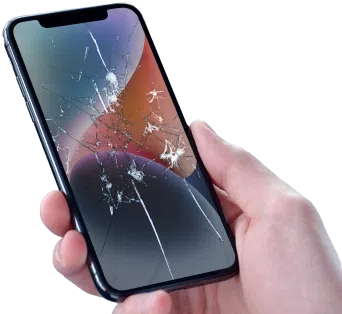
- Screen Damage: Cracks and touch issues are more than cosmetic. Replacing the display restores touch accuracy, brightness, and readability outdoors, which is critical if you depend on maps or shoot photos.
- Learn your options in How to Fix a Cracked Phone Screen.
- Ports, Speakers, Cameras: A loose charging port, a muffled speaker, or a camera that refuses to focus can often be solved with module-level repairs.
- Start with a quick diagnostic using the free Device Check-Up App to flag issues before you book.
Worth-it Thresholds
- Battery health dropping below ~80%, unexpected shutdowns, or obvious swelling? Battery replacement is almost always worth doing.
- Accidental damage isolated to the screen, port, speakers, or cameras is usually economical to fix.
- Board-level faults (from severe liquid damage or repeated drops) are harder to justify. If multiple issues stack up, consider a CPO upgrade instead.
Where to Start
- Get parts-specific services at our iPhone Repair page.
- Prefer a guided flow? Head to Start a Repair to book in minutes.
Get a free phone diagnosis in 5 minutes when you visit us in-store.Is your phone not working?
When It’s Time to Upgrade
Clear signs your iPhone 11 is holding you back in 2026:
Performance & Features
If you edit video on your phone, game heavily, or use AI-assisted tools, you’ll feel the gap. iPhone 11 doesn’t support Apple Intelligence features that rely on newer chipsets, so you’ll miss headline workflows even if you’re still getting updates.
Camera/Video Expectations
Night scenes, 4K HDR, and stabilized walking clips all improve markedly on newer models. If you’re capturing a newborn, a wedding, or travel reels, the difference is obvious.
Repair Economics
If you’re looking at two or more significant repairs (e.g., battery + screen + port), the bill may approach a solid CPO upgrade with more years of iOS headroom.
Network & Battery Realities
Frequent commuters and travellers benefit most from 5G and newer radios. If your LTE is congested where you live or work, a 5G-equipped phone plus a fresh battery can transform your day.
For persistent battery warnings or shutdowns, see 4 Signs It’s Time to Replace Your Cell Phone Battery.
If two or more of the above resonate, planning an upgrade makes sense, especially to a CPO model that delivers the big leaps (5G, OLED, cameras, battery) without the price tag of a brand new device.
Best Certified Pre-Owned Upgrade Options
The sweet spot for iPhone 11 owners in 2026 is an iPhone that feels brand-new but costs far less than today’s new models. Two standouts:
iPhone 13 (All-Around Value)
Big leap from the 11 with 5G, brighter displays (and OLED on Pro models), stronger low-light cameras, and efficiency improvements that boost real-world battery life. It’s a terrific everyday upgrade that noticeably improves photos, video, and streaming.
iPhone 14 (Longevity Pick)
Everything the 13 does well, plus safety features like Crash Detection, camera refinements, and another year of iOS runway. If you plan to keep your phone for several years, starting with a 14 is a strategic move.
iPhone 15 Pro/15 Pro Max (Apple Intelligence Entry Point)
If you specifically want Apple Intelligence tools on iPhone, the 15 Pro line is the oldest compatible choice. You also get a larger camera upgrade, USB-C with faster data for creators, and excellent battery efficiency. (Note: iPhone 15/15 Plus don’t support Apple Intelligence, so look for 15 Pro/Pro Max or iPhone 16 if AI features are a must.)
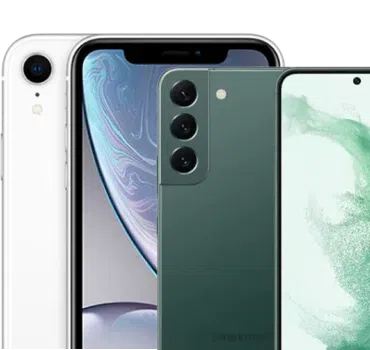
Compare side-by-side:
Confidence Boosters
At Mobile Klinik, every CPO phone goes through a 64-point inspection and is graded for transparency. Learn how grading works in What Do Refurbished Phone Grades Mean and what “refurbished iPhone” means in What is a Refurbished iPhone?.
Trade-in Your 11
Get an instant estimate with our Sell Your Phone Calculator Tool or begin the process at Sell Your Phone. Put that value toward your upgrade for the biggest impact per dollar.
Save big when you shop our selection of Certified Pre-Owned phones. 64-point inspection and a limited lifetime warranty for eligible customers*.Save up to 50% on a new phone!
Final Call: Keep the 11 or Move On?
The iPhone 11 still covers everyday essentials, and Apple’s long support window means you’re not abruptly left behind. The choice comes down to what you value now: if LTE speeds, an LCD display, and older cameras fit your routine, a quick diagnostic and a simple repair can extend its life comfortably. If you want 5G, OLED, better low-light video, or Apple Intelligence, shortlist an iPhone 13 or 14 for value, or a 15 Pro if on-device AI is important. Choose based on what you’ll feel every day, not just the specifications.