Key Takeaways
|
Not all screen damage shatters the glass. Some of the most common display issues happen beneath the surface. Vertical lines, spreading dark spots, and uneven brightness often signal internal panel damage, even when the outer layer looks untouched.
These changes might appear gradually or show up without warning. A faint line near the edge. A small black spot that lingers. A section of the display that looks brighter than the rest.
When the glass looks intact, it is easy to assume everything underneath is fine. Internal display damage does not always leave visible cracks. The panel itself can begin to fail while the surface remains smooth.
Internal LCD damage is one of the most common screen problems technicians see. Recognizing the early signs helps prevent more serious display failure and protects the long-term usability of your device.
What’s Happening Beneath the Glass
Modern smartphone displays are built in layers. Each layer serves a specific purpose:
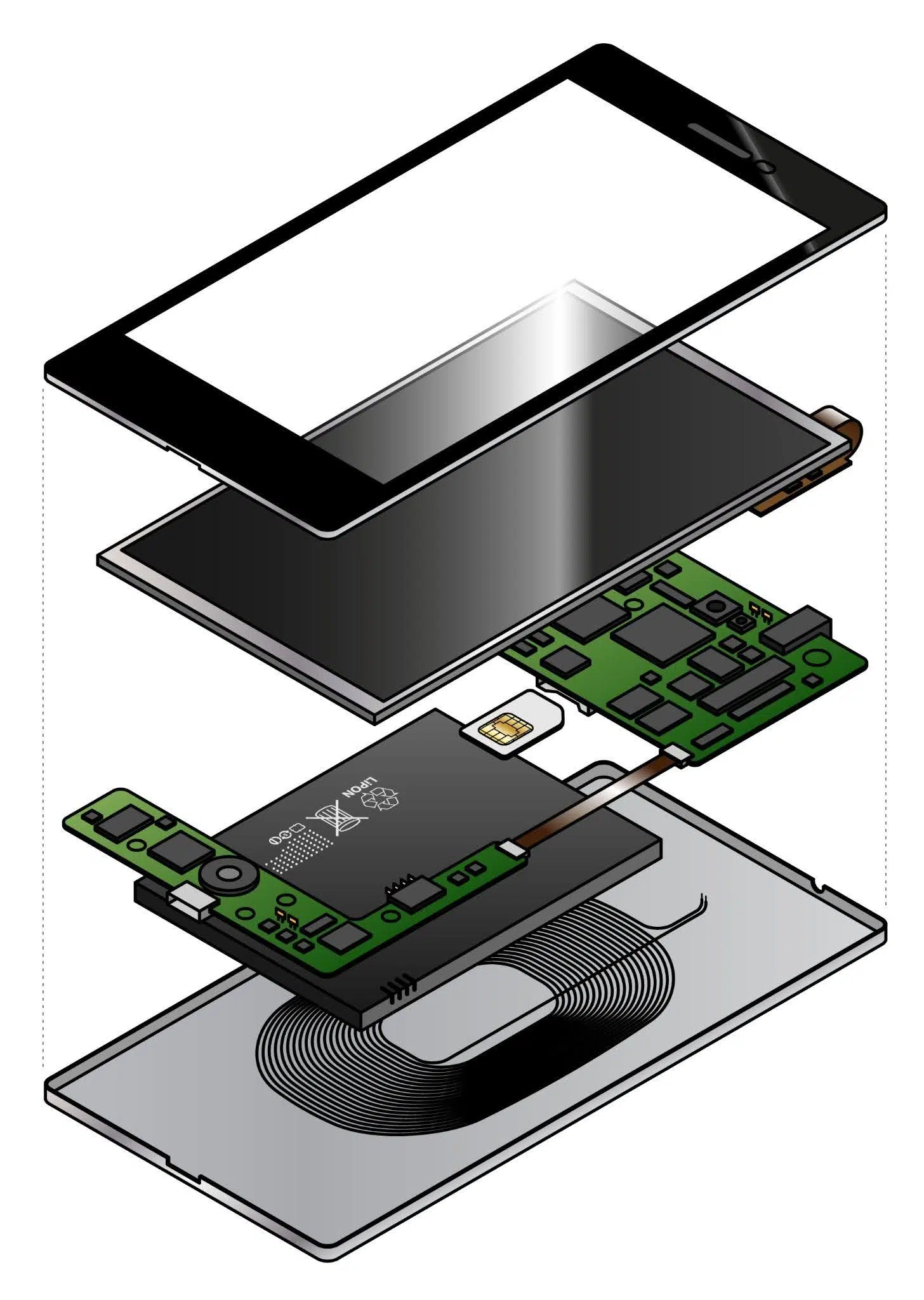
- Outer protective glass protects against scratches and absorbs some surface impact.
- Touch-sensitive digitizer detects your taps and swipes, translating them into on-screen actions.
- Display panel (LCD or OLED) produces the images, colours, and light you see.
- Backlight layer (on LCD devices) provides uniform illumination behind the display panel.
The glass absorbs some shock, but it does not shield the internal display panel from all force. Pressure, twisting, bending, or heat can affect the layers underneath without leaving visible cracks.
Some examples of how Internal damage may occur are:
- A drop that did not visibly shatter the screen
- Sitting on the phone in a back pocket
- Pressure from a tightly packed bag
- Gradual frame flex over time
- Temperature shifts during charging or outdoor use
The display panel contains delicate pixel structures and circuitry. When stress disrupts these components, visual defects appear. Because the glass remains intact, the issue is often mistaken for a temporary glitch.
Persistent visual problems that stay in the same position usually indicate panel damage. Software-related issues typically move, flicker, or resolve after a restart. Hardware damage remains fixed.
Vertical Lines That Don’t Go Away
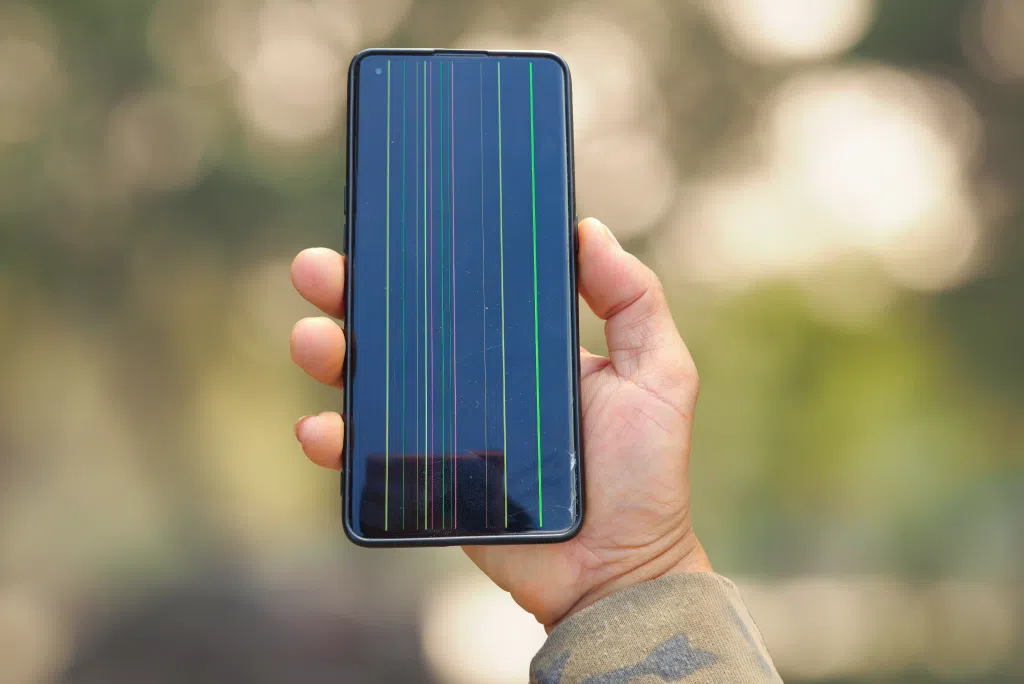
Vertical or horizontal lines are among the clearest indicators of internal display failure.
These lines typically:
- Run from top to bottom or side to side
- Appear in a single solid colour
- Stay in the exact same location at all times
- Remain visible across apps and menus
Common colours include green, pink, white, and black. Each may reflect a different type of panel disruption.
- Coloured Lines: Green or pink lines often indicate subpixel damage within a specific column. White lines on LCD screens may involve backlight channel irregularities. Black lines usually signal dead pixel columns where light no longer passes through.
- Startup Lines: If the line appears during startup and remains visible on the home screen, the issue is hardware-related. Adjusting brightness will not remove it. Restarting the phone will not shift its position. In early stages, the line may be narrow and easy to ignore. Over time, additional columns may fail. The line may widen or multiply.
If you notice a persistent line on an Apple device, a professional assessment through iPhone Repair can determine whether the issue is isolated to the display panel and what the next steps involve. For Galaxy devices, Samsung Repair services provide the same diagnostic evaluation before any repair is recommended.
Addressing the issue early reduces the chance of broader screen failure.
Black Spots, Ink Blotches & Shadowy Areas
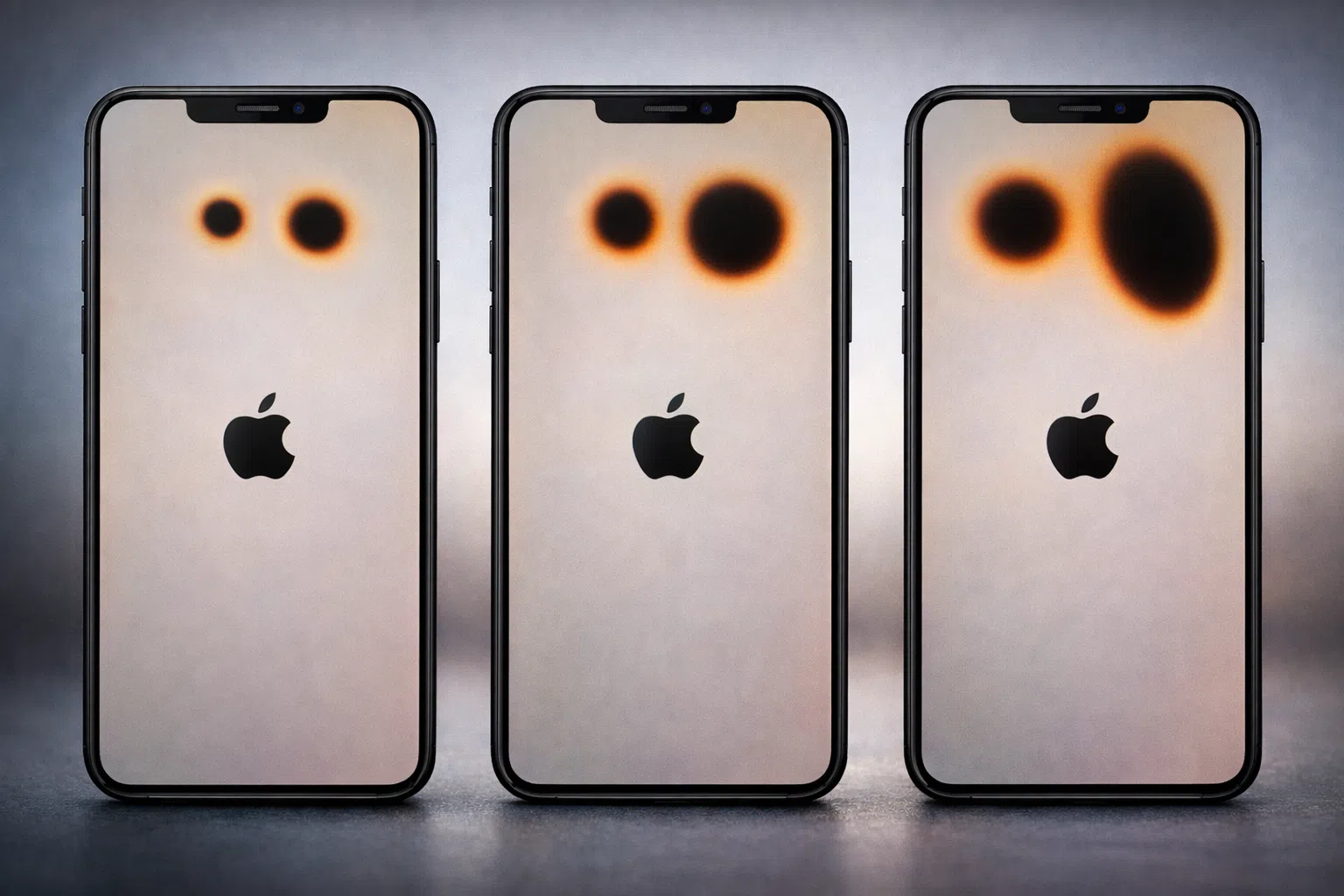
Dark spots beneath the glass are another common sign of internal LCD damage.
These may begin as:
- Small circular black dots
- Slightly irregular dark patches
- Soft-edged shadowy areas
Over time, these spots often expand. The visual effect resembles ink spreading under the surface. This happens when the liquid crystal layer inside the LCD panel becomes compromised.
Common triggers include:
- Pressure from tight clothing
- Bending stress inside a bag
- Minor impact that did not crack the glass
- Repeated compression over time
Unlike a dead pixel, which remains tiny and isolated, these blotches tend to grow. As the affected area expands, nearby pixels may lose clarity or shift in colour accuracy.
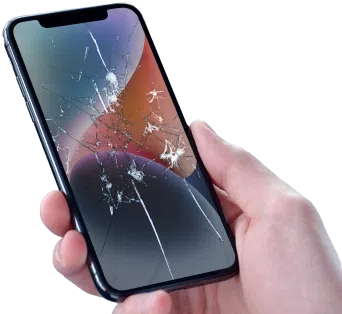
If your device also has visible surface cracks, both internal and external components may be damaged. Guidance from How to Fix a Cracked Phone Screen can help determine whether the issue is limited to the glass or extends deeper.
When black spots continue to expand, the internal panel is typically deteriorating. Waiting rarely results in stabilization.
Get a free phone diagnosis in 5 minutes when you visit us in-store.Is your phone not working?
Bright Patches, Washed-out Zones & Uneven Glow
Internal damage does not always create dark areas. Some screens develop sections that appear brighter than the rest.
On LCD displays, this may look like:
- A glowing corner
- A cloudy patch on a white background
- Uneven brightness across the display
- Light concentration in one specific area
LCD screens rely on a uniform backlight layer. When the diffuser or backlight alignment shifts, illumination becomes inconsistent.
This imbalance affects everyday use. Reading text may feel uncomfortable. Photos may appear inaccurately exposed. Video playback can look uneven in tone. Outdoor visibility may decrease in affected areas.
Brightness irregularities usually indicate structural disruption inside the display assembly. Even if touch responsiveness remains intact, the internal layer responsible for light distribution may be compromised.
These patches tend to remain fixed in place. Their size may increase with heat and continued use.
LCD vs. OLED Damage: Why the Symptoms Look Different
LCD and OLED technologies behave differently when damaged.
LCD panels use a shared backlight behind the pixel layer. Damage often results in:
- Light bleeding
- Bright patches
- Expanding dark blotches
- Column-based line failures
OLED displays do not use a shared backlight. Each pixel produces its own light. When OLED panels fail, symptoms may include:
- Isolated black areas
- Colour distortion in specific regions
- Pixel clusters that stop illuminating
- Irregular shapes tied to impact zones
Burn-in is a separate issue associated with OLED screens. It develops gradually from prolonged exposure to static images. Impact-related OLED damage appears suddenly and remains fixed in place.
Both LCD and OLED panel failures require hardware repair. Software updates and resets do not repair physical pixel damage.
Identifying the display type helps technicians determine the appropriate repair approach, but the presence of fixed visual defects typically signals panel-level failure.
Why These Screen Issues Usually Get Worse
Internal display damage rarely stabilizes on its own.
Heat generated during charging or gaming increases stress within the panel. Minor pressure in a bag or pocket can expand existing fractures. Temperature fluctuations may also contribute to internal material shifts.
A small black spot can grow larger. A thin line can widen. A bright patch can spread toward the centre of the screen.
As the damage progresses, additional symptoms may appear:
- Reduced touch accuracy
- Flickering in affected areas
- Colour distortion near damaged zones
Delaying repair increases the likelihood of full display failure. In advanced cases, large sections of the screen may become unusable.
Early action protects both usability and device longevity.
When a Restart Won’t Help
Restarting a phone resolves many temporary issues. It clears background processes and refreshes software functions. Certain visual defects, however, indicate hardware failure.
The issue is likely hardware-related if:
- The defect appears on the boot screen
- The mark remains in the exact same position
- A factory reset does not remove it
- The distortion is visible in screenshots
Software glitches shift, flicker, or disappear. Hardware damage remains fixed and consistent.
Recognizing this distinction prevents unnecessary troubleshooting and helps direct attention toward the correct solution.
Getting a Clear Answer Before It Gets Worse
For Web: Image suggestion—calibration equipment/repair tools
Professional diagnostics provide clarity when screen symptoms appear.
Technicians assess:
- Pixel uniformity
- Backlight consistency
- Touch responsiveness
- Internal display connections
Testing tools measure brightness levels and identify inactive pixel columns. This confirms whether the issue is isolated to the display panel or affects other components.
Addressing internal LCD damage early helps prevent further deterioration and preserves device performance.

The Bottom Line: When Your Screen Is Telling You Something
Vertical lines, expanding dark spots, and uneven brightness are not cosmetic quirks. They are signals of internal panel disruption.
Internal LCD damage progresses over time. Early assessment protects screen clarity, maintains usability, and helps extend device lifespan.
If your display shows fixed visual defects that remain in one place, the screen is communicating a hardware issue. Prompt attention keeps your device functioning reliably and reduces the risk of complete display failure.